Windows
The lifecycle of a lock window, from draft to ended.
One document in the content-locks collection is one window. It locks content from its start until its end.
Fields
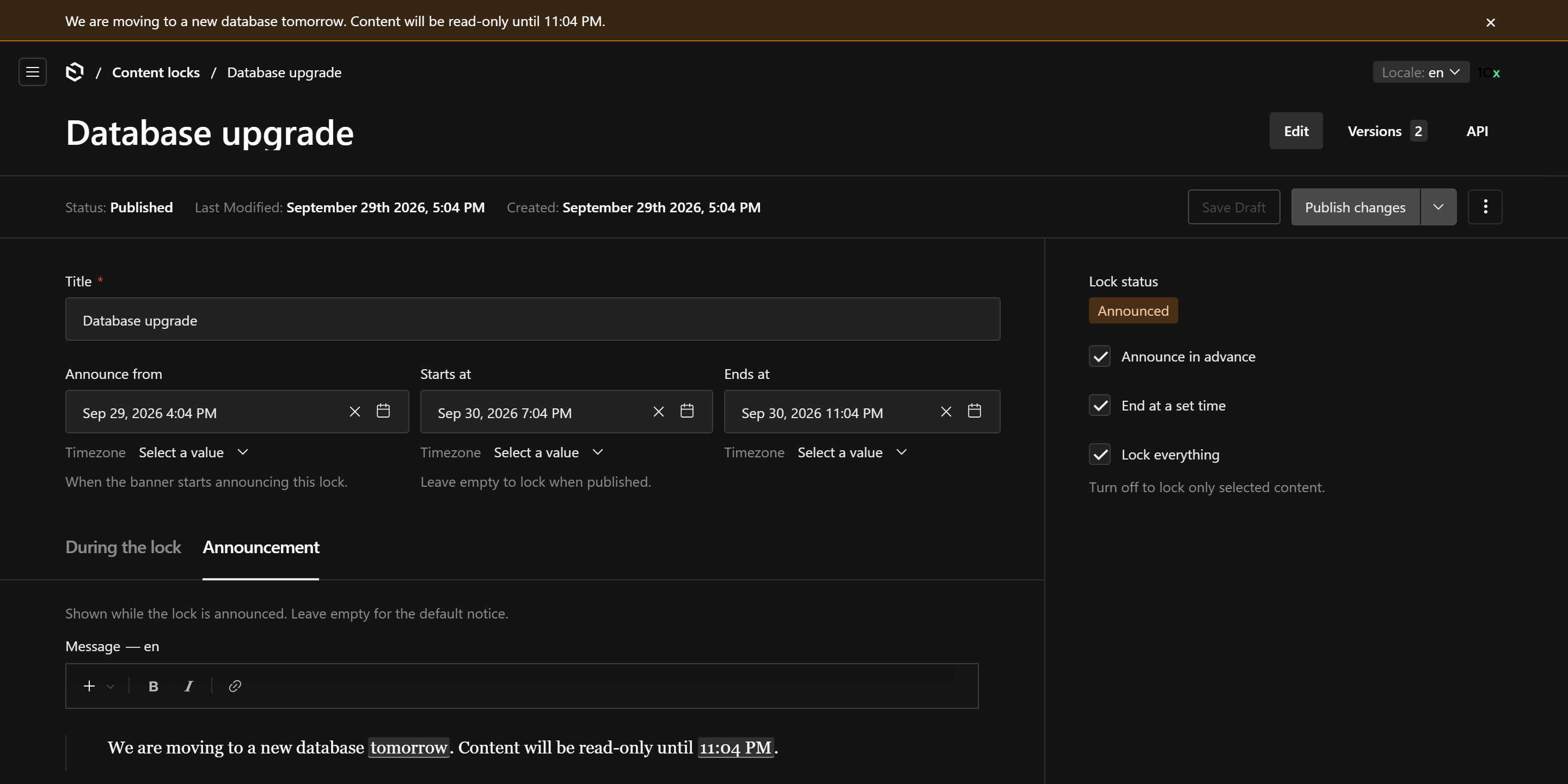
| Field | Meaning |
|---|---|
| Title | Internal name, shown in the list and the pager. |
| Starts at | When the lock begins. Leave it empty to start on save. |
| Announce / Announce at | Warn editors from this moment on. Announce must be before the start. |
| End at time / Ends at | When the lock ends by itself. Without it the window runs until someone presses End now. |
| Lock everything / scope | Everything, or the groups (and, with individualSelection, collections and globals) you pick. See scope. |
| During the lock / Announcement | Banner messages for each stage, localized. See banner. |
| Ended at | Set by End now. Read-only. |
Dates have a time zone picker by default, so a window is set as, say, "22:00 Europe/Berlin" and everyone sees the same time. See the timezone option in configuration.
Stages
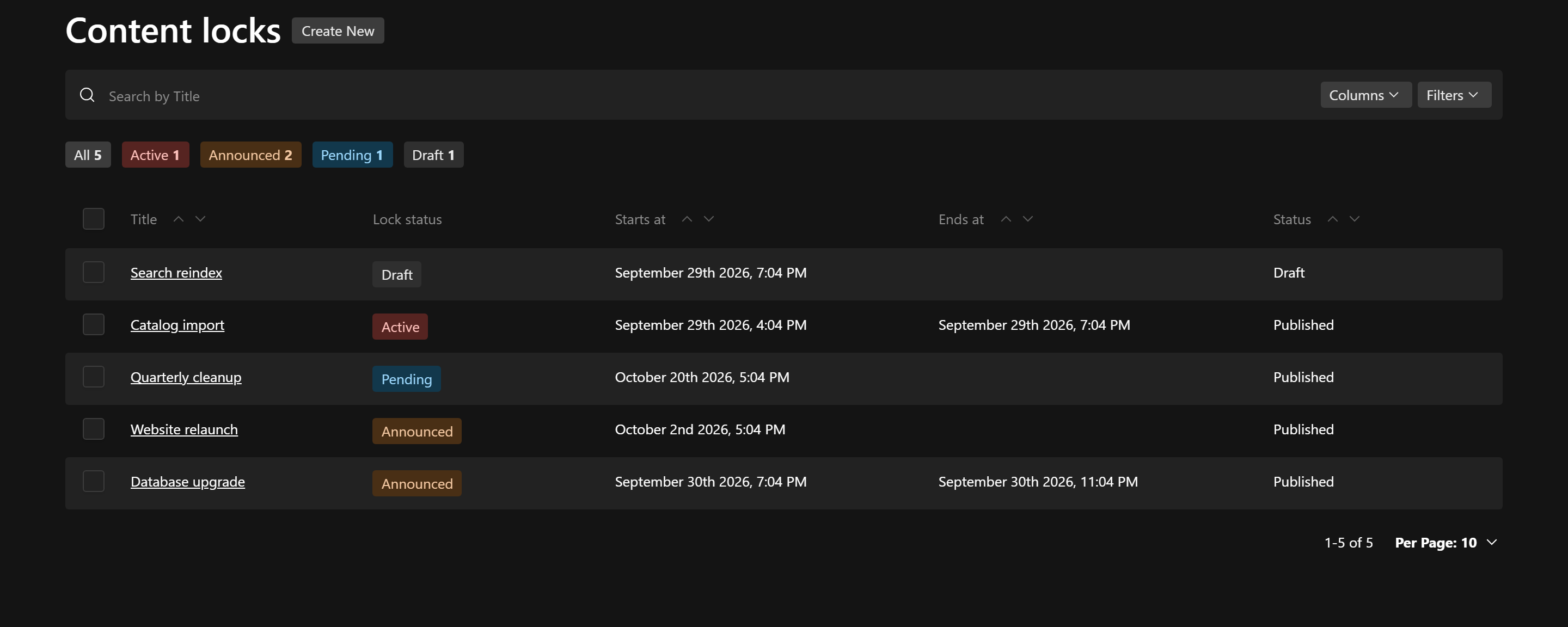
| Stage | When |
|---|---|
| Draft | The window is not published. It locks and announces nothing. |
| Pending | Published, before its announcement (or its start, without one). |
| Announced | Between the announcement and the start. The banner warns. |
| Active | From the start until the end. Content in scope is frozen. |
| Ended | Past its end time, or ended with End now. |
The stage is the Lock status field: a virtual field, not stored in the database, so it always reflects the current time. It shows as a coloured pill in the list column and the sidebar, and the list has quick filters per stage. It is separate from Payload's own Status (draft or published).
Drafts
The collection has drafts: prepare a window, translate its messages into every locale, then publish it. Only published windows lock or announce.
A published window with unpublished changes keeps its live stage; publishing applies the latest draft, including when End now publishes the window.
Editing rules
- An active window can be ended, extended, rescoped, and have its messages changed. Its start cannot move into the future: to postpone, end it and create a new one.
- Pending and announced windows are fully editable.
- Ended windows are history: they open read-only and can only be deleted.
- Announce at is never after Starts at, and Ends at is always after it.
Saving a change that breaks them fails.
Who manages windows
By default any signed-in user can read and manage windows. Narrow it with collection.access, per operation or as one function for every write:
contentLock({
  collection: {
    access: ({ req }) => req.user?.role === 'admin', // create, update, delete
  },
})
With one function, read stays open to every signed-in user, so everyone sees the banner and the list. Pass an object ({ read, create, update, delete }) to set each operation yourself.
Whatever update you give, ended windows cannot be updated and open read-only, also when collection.overrides replaces access. notEndedWhere(date) is exported for queries of your own.
Actions
- Lock now (list view) creates a window that freezes everything, starts now and ends manually.
- End now (active window) sets Ended at to now.
Both are ordinary writes, so they follow the collection's access: to let only some users lock, narrow collection.access.