Custom viewers
Replace the viewer for any mime type, or add one for a format the plugin does not cover.
viewers maps mime patterns to your own components: an exact mime (video/mp4) or a type wildcard (model/*). Set it for every enabled collection, or on one collection:
documentPreview({
  collections: {
    media: true,
    videos: {
      // Only this collection streams through Bunny.
      viewers: { 'video/*': '/components/BunnyPlayer#BunnyPlayer' },
    },
  },
  viewers: {
    'model/*': '/components/ModelViewer#ModelViewer',
  },
})
Values are Payload component paths, as in any admin.components slot. The plugin registers each one as an import-map dependency, so regenerate the import map after adding one:
pnpm payload generate:importmapA path missing from the import map logs one warning and falls back to the built-in viewer.
Which viewer wins
For a file's mime type (corrected by extension where browsers misreport it), the first match in this order:
- The collection's
viewers: the exact mime, then itstype/*wildcard. - The global
viewers, the same way. - The built-in viewers.
- The info card.
Each layer is searched in full before the next, so your video/* replaces the built-in player for every video, including video/mp4.
The component
A client component that receives the file and the whole document, and fills its container:
import type { DocumentPreviewViewerProps } from '@10x-media/document-preview/types'| Prop | |
|---|---|
url | The file's URL as Payload serves it (doc.url). A storage adapter may make it absolute. |
filename | The stored file name. |
mimeType | The mime the viewer was chosen by. |
filesize | Bytes, when stored. |
doc | The whole upload document, for anything beyond the file: a Bunny video id, a poster field, an alt text. |
collection | The upload collection's slug, when known. |
The plugin wraps every viewer in an error boundary, so a crash shows the info card instead of breaking the edit view, and in Suspense, so a lazy component needs no fallback of its own. Its toolbar classes (document-preview-toolbar, document-preview-toolbar__button) are available if you want your controls to match.
Keep it lazy
Everything at a component path is imported by the admin import map on every admin page. A viewer that pulls in a large library must keep that library out of the path's module: export a thin component from the path, and load the real one with lazy.
'use client'

import type { DocumentPreviewViewerProps } from '@10x-media/document-preview/types'
import { lazy } from 'react'

// three.js only downloads when a model is opened.
const ModelScene = lazy(() => import('./ModelScene').then((m) => ({ default: m.ModelScene })))

export const ModelViewer = (props: DocumentPreviewViewerProps) => <ModelScene {...props} />'use client'
import type { DocumentPreviewViewerProps } from '@10x-media/document-preview/types'
import { GLTFLoader } from 'three/addons/loaders/GLTFLoader.js'
// ...
export const ModelScene = ({ url }: DocumentPreviewViewerProps) => {
// Load `url`, frame the model, render it on a canvas that fills the preview.
}Example: 3D models
The plugin's dev app ships this as a working example: a three.js viewer for glTF, GLB, STL and OBJ under model/*, with orbit controls, auto-rotate and a camera that frames the whole model. It sits beside a 3D file icon for the same mime types, the two ways the plugin extends, side by side. The source is in packages/document-preview/dev/viewers.
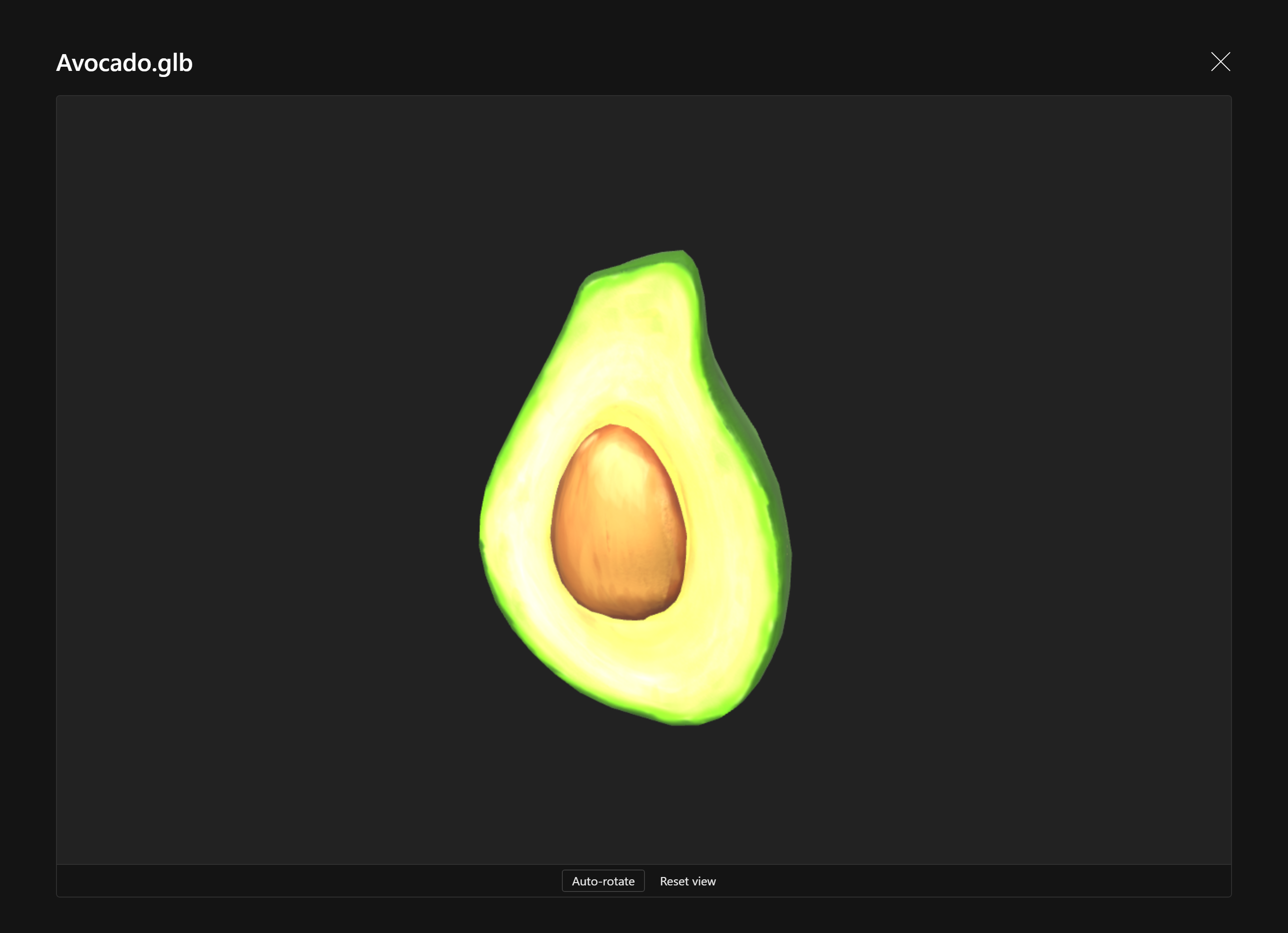
.glb, .gltf, .stl and .obj resolve to their model/* mime types even when a browser uploads them as application/octet-stream, so a model/* viewer catches them all.